

E-file taxes: How to file taxes with free e-filing
E-filing and free federal e-file are terms that you might hear around tax season, but it’s only one part of your tax preparation. To help you understand what terms like e-file taxes and free federal e-file mean, we’ll outline the relevant concepts in this post.
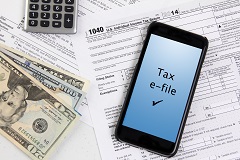
What is e-filing?
Electronic filing, or e-filing, is the process of submitting your completed individual income tax return (which includes all of your filing information) to the Internal Revenue Service (IRS) over the Internet. Compared to sending your paper return through the mail, online filing with e-file has the advantage of reducing the processing time, which can help you get your tax refund more quickly.
You can e-file on your own through a number of tax preparation software programs or online services. Or a tax professional might e-file your federal tax return for you as part of their services. However, e-file is not available for everyone. Taxpayers with more complexity may find that e-file is not allowed for their returns. See below for filing information that may require a paper tax form.
In some cases, you can prepare your tax return and e-file free of charge. We’ll cover more below.
File with H&R Block to get your max refund
Advantages of e-filing
There are a number of pros to electronically filed returns, such as:
- The IRS receives your federal return almost instantly, unlike a mailed paper return.
- E-filed returns contain fewer errors. The IRS doesn’t need to re-enter your tax information in its system.
- If you expect a federal tax refund, you’ll typically receive your refund check within three weeks. Your refund will come sooner if you direct deposit your refund into your bank account. If you file a paper return, it may take four to eight weeks to receive a refund check. Just like e-filing your tax return, requesting a direct deposit is the quickest and most secure way to receive your tax refund.
What is free federal e-file?
Free federal e-file means you can submit your federal tax return to the IRS without cost. This is also referred to as IRS free e-file. As mentioned above, the free e-file only covers the transmission to the IRS. This doesn’t necessarily mean the tax return preparation is free. We’ll come back to that in a moment.
H&R Block free e-filing options
If you’re filing with H&R Block, the number of free federal e-file transmissions will vary.
What e-file services are available for tax filing?
If you file with:
- With H&R Block Online, you can transmit one federal e-file for free.
- With one of our Tax Software options, you can e-file five federal returns for free. We should note that state e-file costs can vary depending on the option you choose.
- For returns filed with a tax pro, you can transmit one federal e-file for free.
Regardless of the tax filing option you choose, we’ll walk you through how to e-file taxes and help you understand what to do if your e-file is rejected for any errors.
Beyond free federal e-file: What about free tax prep?
Before you can take advantage of ways to e-file taxes for free, you have to prepare your return. Several commercial brands offer free tax filing options through online tax preparation, but eligibility for the free options can vary.
H&R Block Free Online offers several benefits. Did you know more people qualify for free with H&R Block Free Online than TurboTax Free Edition? See how TurboTax Free Edition and H&R Block Free Online tax filing stack up.
Approximately 52% of filers qualify. Simple tax situations only Form 1040 and no schedules except Earned Income Tax Credit, Child Tax Credit, Student Loan Interest, and Retirement Plan Distributions. Find eligibility requirements at HRBlock.com/free. Qualification for free filing with H&R Block Free Online and TurboTax Free Edition is based on specific criteria. Eligibility requirements may vary. TurboTax is a registered trademark of Intuit, Inc.
And, if you’re wondering how to do taxes at Block, you have many options.
Getting ready to e-file: What are the e-file requirements?
Electronic filing is a convenient way to submit your individual income tax return to the IRS. However, there are certain times your return may not be e-filed because it does not meet the e-file requirements. Some of the most common reasons for this are:
- Tax returns with fiscal year tax periods.
- Your return contains IRS forms that aren’t on the IRS list of accepted forms and schedules.
- Returns with Tax Identification Numbers (TINs) within the range of 900-00-0000 through 999-99-9999 except certain Adoption TIN and Individual Taxpayer Identification Numbers (ITINs).
- Returns with rare and unusual processing conditions (varies year to year).
What tax forms can be submitted using e-file services?
If you’re filing taxes with H&R Block’s Online e-file services, you’ll see we support e-file for a wide range of federal tax forms and schedules. The exact tax forms that can be submitted will vary depending on which online product you choose.
Forms Included in Free Online E-File:
- Form 1040 (U.S. Individual Income Tax Return)
- Form W-2 (Wage and Tax Statement)
- Form 1099-INT (Interest Income — up to $1,500)
- Form 1099-DIV (Dividend Income — up to $1,500)
- Form 1099-G (Unemployment Compensation)
- Form 1099-R (Retirement Plan Distributions)
- Schedule EIC (Earned Income Tax Credit)
- Schedule 8812 (Child Tax Credit)
Additional Forms in Deluxe, Premium, and Self-Employed Products:
- Schedule A (Itemized Deductions)
- Schedule C (Self-Employment Income and Expenses)
- Schedule D (Capital Gains and Losses)
- Schedule E (Rental and Royalty Income)
- Form 8889 (Health Savings Account)
- Various 1099 forms with business expenses
- Additional schedules and forms for complex tax situations
State Returns: State tax returns are also e-filed when you add state filing to your federal return.
What IRS tax forms cannot be e-filed beyond a certain number?
In certain cases, you will be prevented from e-filing due to the number of forms that you need to file. You will not be able to e-file if you have more than:
- Eight Schedules C
- 1 Schedule E
- Two Schedules H (one per taxpayer if married filing jointly)
- Two Schedules SE (one per taxpayer if married filing jointly)
- 50 Forms W-2
- Four Forms 2106 (two per taxpayer if married filing jointly)
- Two Forms 2555 (one per taxpayer if married filing jointly)
- Two Forms 3903
- Two Forms 4137 (one per taxpayer if married filing jointly)
- Four Forms 4835
- Two Forms 4972 (one per taxpayer if married filing jointly)
- Two Forms 5329 (one per taxpayer if married filing jointly)
- 25 Forms 8606
- 10 Forms 8814
- 32 Forms 8829 (four for each Schedule C)
If you fall into any of the above situations, you’ll have to file your tax return by mail for this tax year.
Are e-file services secure for personal data?
Yes, e‑file services are generally considered secure for personal data. And unlike filing a return on paper, e-filing assures the filer that the tax return is with the IRS and not misplaced or lost in the mail.
The IRS (.gov) requires authorized e‑file providers to meet strict security standards designed to protect sensitive taxpayer information. These include using encryption, firewalls, and other safeguards to help protect data during transmission and storage.
Choosing a trusted provider is key. H&R Block is an IRS‑authorized e‑file provider, meaning its systems must comply with federal security requirements for handling and protecting taxpayer data.
That said, security is a shared responsibility. You can help protect your information by securing your own devices. Use up‑to‑date antivirus software, install system and app updates promptly, and create strong, unique passwords for your tax and financial accounts.
Ready to e-file your taxes? Get help from H&R Block
We’re here to help! Whether you file taxes online or with an H&R Block tax professional, we’ll help you uncover every last credit and deduction you deserve.
Note: You can also consider IRS Free File as a way to e-file for free.
*See available forms. TurboTax is a registered trademark of Intuit, Inc.
Was this topic helpful?